Appearance
Magic flows
A C4 diagram shows what exists. It does not show what happens when a customer presses a button. A Magic flow is that missing piece: an ordered walk through the model, built from the elements and connections that are already there.
What a flow is made of
- Steps — each names a hop: where it starts, where it ends, and which connection it uses.
- Stages — steps marked as parallel play together, so a fan-out reads as a fan-out instead of a queue.
- Attachments — the docs, sequence diagrams and API endpoints that explain a particular hop.
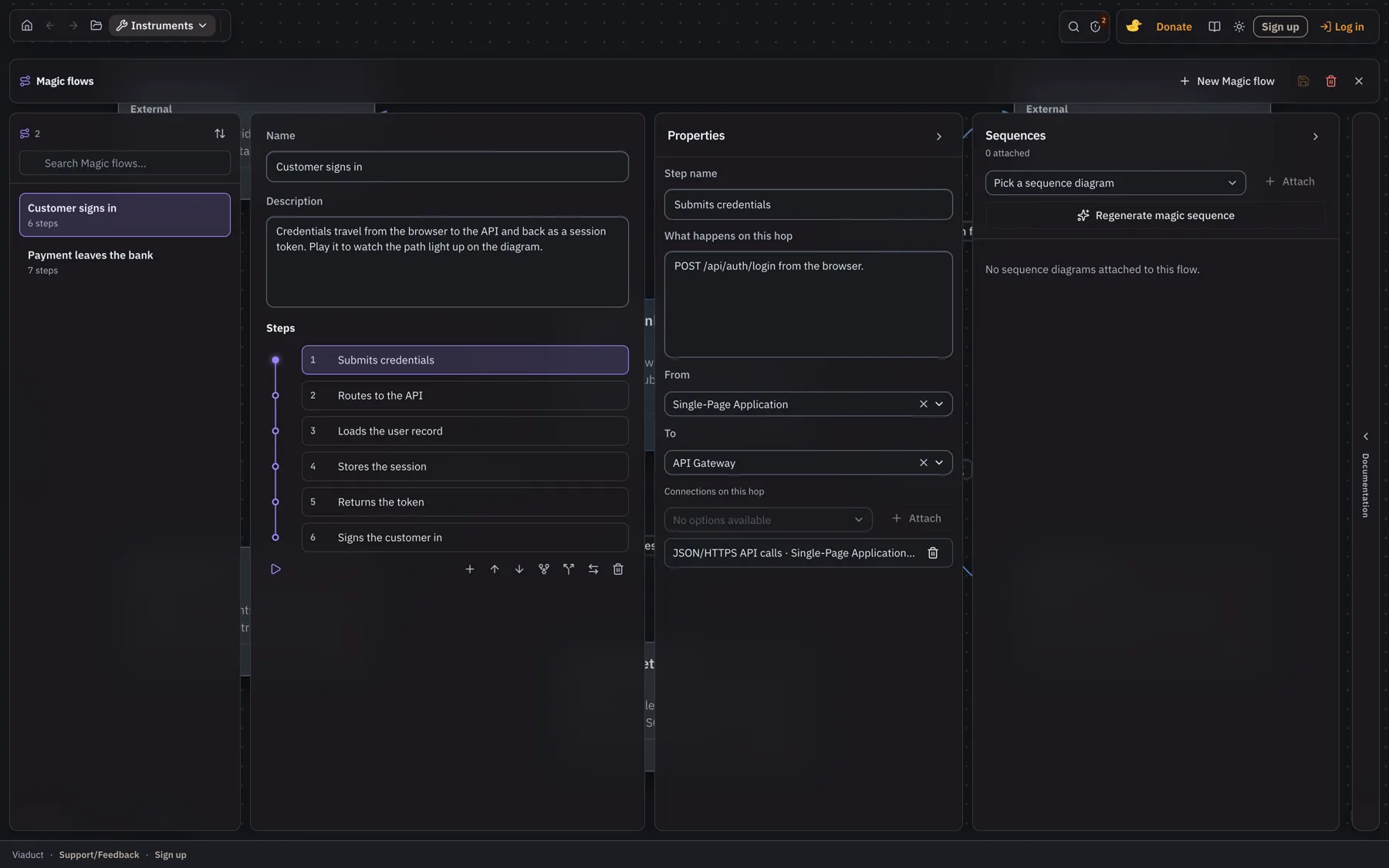
Playing a flow
Press play and the flow runs on the diagram itself: everything dims except the current hop, the camera follows the request, and arrow keys step back and forth. It is the fastest way to answer “what does this request actually touch?” — during a review, an incident, or someone’s first week.
From a flow to a sequence diagram
A flow can generate a PlantUML sequence diagram from its own steps, so the interaction exists in both forms without being maintained twice. Regenerating overwrites the generated diagram and leaves your hand-written ones alone.
Open flows from the Instruments menu, or from the flow badge on any card that takes part in one.